How to Set Up a Music Pre-Save Campaign Step by Step
Last Updated: November 10, 2026
Quick Summary
To set up a pre-save campaign, gather your master audio, cover art, and metadata, then create a pre-save link with a tool that lets fans save your release to their streaming library. Create the link at least three to four weeks before release, test it on your phone, and share it widely. Fans save the track for free, and it appears in their library on release day.
- Gather final master audio, cover art, UPC and ISRC codes before you start.
- Create your pre-save link at least three to four weeks before release.
- Test the link on your phone and computer before sharing it publicly.
- Confirm with your distributor that pre-saves are enabled for Spotify and Apple Music.
- Lock artwork and track titles before publishing, since later changes show outdated details.
Table of Contents
- What a Pre-Save Campaign Does for Your Release
- Assets You Need Before Launch Day
- How to Create a Free Pre-Save Link
- Setting Up a Spotify Pre-Save Campaign
- Adding Apple Music Pre-Save Support
- Music Pre-Save Campaign Examples and Timelines
- Choosing Your Next Release Date and Launch Plan
- Frequently Asked Questions
What a Pre-Save Campaign Does for Your Release
A music pre-save campaign lets fans save your upcoming release to their streaming library before it goes live. When the release day arrives, the track appears automatically in their library. Many artists and labels use pre-saves to build early momentum for a single or album.
The pre-save link is the core tool. Fans click it, choose their streaming service, and confirm. Nothing downloads, and they pay nothing. You get a count of how many people signed up, which tells you how much interest exists before launch.
Pre-saves matter because streaming platforms reward early engagement. A track that gets saves and streams in its first days often gets better placement in personalized playlists and release-radar features. Pre-saves give that early push a head start.
Here is what a pre-save campaign typically does for your release:
- Gives fans an easy way to commit to your music ahead of launch
- Shows you how many people are interested before release day
- Helps the track appear in fans' libraries automatically on release day
- Builds a list of contacts you can reach with launch updates
Assets You Need Before Launch Day
Before you set up anything, gather the files and details your campaign needs. Missing one item can delay your whole launch, so check this list early.
- Final master audio in WAV format at 16-bit or 24-bit, 44.1 kHz
- Cover art at 3000 x 3000 pixels, in JPG or PNG format
- Track title, artist name, and credits spelled exactly as you want them shown
- UPC and ISRC codes for the release and each track
- Release date and time in the time zone your audience uses
- Short promo text for the campaign page, plus a few social media posts
Keep these files in one shared folder so your team can find them fast. Check your delivery timeline with your distributor, since platforms generally need the release delivered several weeks before the release date. A common mistake is waiting until the last week to submit the audio. Build in a buffer before your deadline so that a rejected file or metadata fix does not delay the release.
Watch out: if the cover art or metadata changes after you create the pre-save link, fans may see outdated details. Lock your artwork and track titles before you publish the campaign.
How to Create a Free Pre-Save Link
Several tools offer pre-save links, and some have free options. Check current pricing and terms with each provider. The process is similar across most of them.
- Create an account on a pre-save or smart link tool. Many offer a free tier for a single release.
- Enter your release details, including the title, artist name, cover art, and release date.
- Add your streaming service links so fans can save to Spotify, Apple Music, and others.
- Choose your landing page layout and preview it on a phone, since most fans open the link on mobile.
- Publish the link and copy the URL to share.
Test the link yourself before you share it. Open it on your phone and your computer, then try saving the track on at least two platforms. Check that the release date and artwork appear correctly.
Free tiers of these tools sometimes limit features like custom domains, detailed analytics, or email capture. If you need those, check the paid plans with each provider.
Setting Up a Spotify Pre-Save Campaign
A Spotify pre-save is a common part of many campaigns. Confirm with your distributor that the release will be delivered to Spotify with the pre-save enabled.
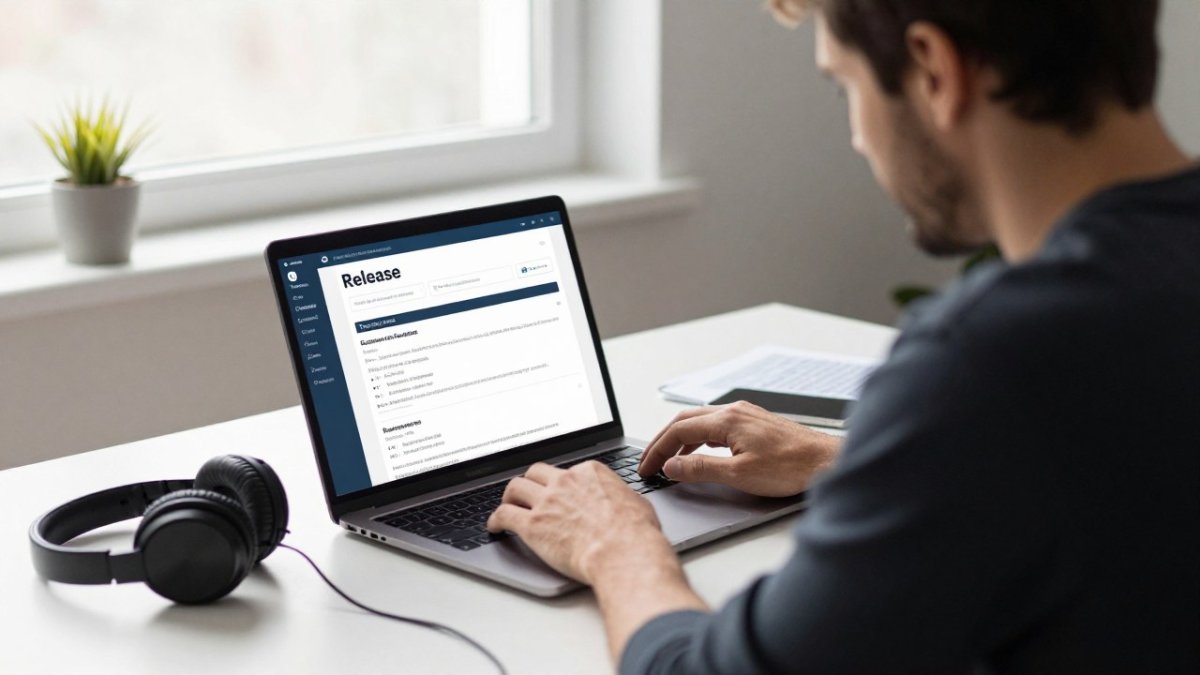
!An independent artist at a home studio desk reviewing a release page on a laptop with headphones nearby
Start by confirming that your distributor supports pre-saves on Spotify. Then:
- Submit the release to your distributor with the correct release date.
- Create your pre-save link and connect the Spotify option.
- Share the link on social media, in your newsletter, and in your bio.
- Post a countdown or reminder about two weeks before release.
Spotify pre-saves appear in a fan's library as soon as the track goes live. Fans who save the track still need to be logged in to Spotify when they click, so give them a clear instruction on your landing page.
A common mistake is sharing the link before the distributor has confirmed the release. Wait for the confirmation first, or fans may land on a page with no working save button.
Adding Apple Music Pre-Save Support
Apple Music pre-saves work much like Spotify pre-saves, but they may need their own setup. Confirm with your distributor whether pre-orders are supported for your release type.
Here is how to add Apple Music support:
- Check your distributor's pre-order settings and turn on Apple Music pre-orders
- Add the Apple Music option to your pre-save link so fans can choose it
- Confirm the pre-order appears on Apple Music's catalog before you promote it
- Test the flow on an iPhone and a Mac if you can
Apple Music pre-saves can be useful because many fans use Apple devices. Including both Spotify and Apple Music on one landing page lets fans pick the platform they use. Keep the button labels clear, such as "Pre-save on Spotify" and "Pre-add on Apple Music."
Music Pre-Save Campaign Examples and Timelines
A typical campaign follows a timeline. Here is a sample schedule for a single release:
| Timeframe | Action |
|---|---|
| 6-8 weeks before | Deliver release to distributor; finalize artwork and metadata |
| 4 weeks before | Create and test pre-save link |
| 3 weeks before | Announce the release and share the pre-save link |
| 2 weeks before | Post a reminder and a short teaser clip |
| 1 week before | Send a newsletter to your email list |
| Release day | Fans' saved tracks appear; post a thank-you message |
A single-artist campaign might run three to four weeks. A label campaign with several artists may need more lead time, since each release has its own delivery schedule. Plan around your distributor's deadlines, not just your social media calendar. Once the release dates are set, use the same discipline to measure campaign results against the timeline and adjust future planning accordingly.
Choosing Your Next Release Date and Launch Plan
The release date you choose determines how much time your pre-save campaign has to work, so treat it as the first decision in the plan rather than the last. Work backward from the date. Your distributor's delivery deadline sets the earliest point you can start promoting, and your pre-save window sits between that point and launch day.
A practical way to plan is to count the weeks you need in each phase. Delivery and metadata approval come first. Pre-save link setup and testing follow. Then the public announcement, reminders, and the final newsletter push. If your distributor takes three weeks to process a release, a six-week promotion window means you have only three weeks of real campaign time, and that is often not enough to build a list worth nurturing.
Avoid stacking your release against a larger artist's launch on the same day, since playlist curators and fans split their attention. Check the release calendar on your distributor's dashboard and on public chart trackers before you lock the date. If a bigger release is landing that week, moving your date by one or two weeks often costs less than competing for the same listeners.
Watch out: a release date set too close to your delivery deadline leaves no room for a rejected file or a metadata fix, and a late correction can push the date and break the pre-save links you already shared.
Planning the next launch also means deciding what happens after release day, because the pre-save list you build is an asset only if you keep using it. Fans who pre-saved have shown early intent, so a short follow-up sequence after release is the natural next step. Send a thank-you message on release day, then a second message a week later with a live-stream link, a playlist pitch, or a request to save the track to a playlist of their own. Keep the list clean by noting which fans signed up for updates and which only pre-saved, since email consent rules differ and you should only contact people who opted in to messages from you.
A simple checklist for the next launch:
- Lock the release date against your distributor's delivery deadline with at least two weeks of buffer
- Confirm no major release lands on the same day in your genre
- Plan one reminder and one newsletter before release day
- Schedule a post-release message to everyone who opted in
- Note which platform drove the most pre-saves so you can focus effort there next time
Frequently Asked Questions
How far in advance should I start a pre-save campaign?
Most artists begin two to four weeks before release day, which gives fans time to save the track and gives you room to share the link across social channels. Starting earlier helps if you plan a multi-stage rollout with a single, a video and a teaser. Starting too late leaves little time for the link to spread, so set your release date first and work backward from it when planning your posting schedule and email reminders.
Does pre-saving a song guarantee a stream on release day?
No. A pre-save adds the track to a listener's library so it appears automatically when the release goes live, but it does not guarantee a play. Pre-saves help you signal demand to platforms and give your release an early audience. Streams still depend on listeners opening the track, playlist placement and your promotion after launch, so treat pre-saves as one part of a broader release plan.
Can I create a free pre-save link for my release?
Yes, many distribution and link tools let you generate a pre-save link without a fee, though features vary by provider. Check whether the free option supports both Spotify and Apple Music, whether it collects any data from fans, and whether you can edit the artwork and call to action. Confirm current pricing and terms directly with the provider before you commit.
How do I set up a pre-save on Apple Music?
Create your pre-save link through a tool that supports Apple Music, then confirm your release is delivered to Apple Music with the correct release date and metadata. Once the link is live, share it with the same call to action you use for Spotify. Test the link on your devices before you post it, and check that the pre-save option works as expected.
